Headlamp Access Service
To make the Headlamp Kubernetes UI automatically accessible from the host machine, a systemd service is used to maintain a persistent port-forward to the Headlamp service.
This avoids manually running kubectl port-forward after every reboot.
Create the Headlamp systemd service
Create the service file
sudo tee /etc/systemd/system/headlamp-portforward.service > /dev/null << 'EOF'
[Unit]
Description=Start Headlamp Dashboard on reboots
After=network-online.target kubelet.service
Wants=network-online.target kubelet.service

[Service]
Type=simple
User=admin
Environment=HOME=/home/admin
Environment=KUBECONFIG=/home/admin/.kube/config
Environment=PATH=/snap/bin:/usr/local/sbin:/usr/local/bin:/usr/sbin:/usr/bin:/sbin:/bin
ExecStart=/usr/local/bin/kubectl -n headlamp port-forward svc/headlamp 8080:80
Restart=always
RestartSec=5

[Install]
WantedBy=multi-user.target
EOF
Update system paths as needed. Replace the username admin with your own username and adjust any installation paths if they differ on your system
Enable and start the service
sudo systemctl daemon-reload
sudo systemctl enable headlamp-portforward.service
sudo systemctl start headlamp-portforward.service
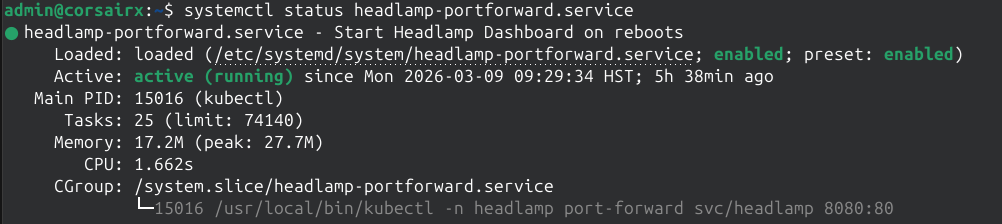
Verify status
systemctl status headlamp-portforward.service
Helper command to get login token
Create following script
sudo tee /usr/local/bin/get-headlamp > /dev/null << 'EOF'
#!/usr/bin/env bash

TOKEN_FILE="$HOME/k8s-extra/admin-token.txt"

if ! systemctl is-active --quiet headlamp-portforward; then
    echo "Headlamp service is not running."
    exit 1
fi

if [ ! -f "$TOKEN_FILE" ]; then
    echo "Token file not found at $TOKEN_FILE"
    exit 1
fi

TOKEN=$(cat "$TOKEN_FILE")

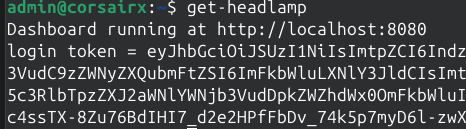
echo "Dashboard running at http://localhost:8080"
echo "Login token = $TOKEN"
EOF

sudo chmod +x /usr/local/bin/get-headlamp # Make it executable
The dashboard will be hosted at localhost:8080.
Use the login token from